Bad Resume Examples: What NOT to Do in 2026 (And How to Fix It)

resume format 2026
best resume layout
functional resume
job search
ats friendly resume
resume mistakes
bad resume examples
Avoid the resume mistakes that get you auto-rejected. See real examples of bad formats versus modern, ATS-friendly layouts.

12 days ago - Updated 1 day ago

Recruiter looking at a bad resume example on a screen

In 2026, the way you write your resume matters more than ever—but not for the reasons you might think. It's not just about impressing a human recruiter; it's about surviving the AI-driven gatekeepers that stand between you and your dream job.

📊 Shocking Stat: Over 75% of resumes are rejected by Applicant Tracking Systems (ATS) before a human ever sees them.

Why? Because candidates are using outdated "creative" templates, functional formats that hide gaps, or layouts that look pretty to humans but read like gibberish to machines.

The hard truth: Most resume failures aren't due to lack of qualifications—they stem from preventable formatting, content, and strategic mistakes that undermine your candidacy in the first 6-10 seconds of review.

If you're applying for jobs in 2026 and hearing nothing but silence, your resume format might be sabotaging you. This comprehensive guide breaks down the most common bad resume examples, explains why they fail at both the ATS and human level, and gives you the exact fixes to transform your application into a interview-landing asset.


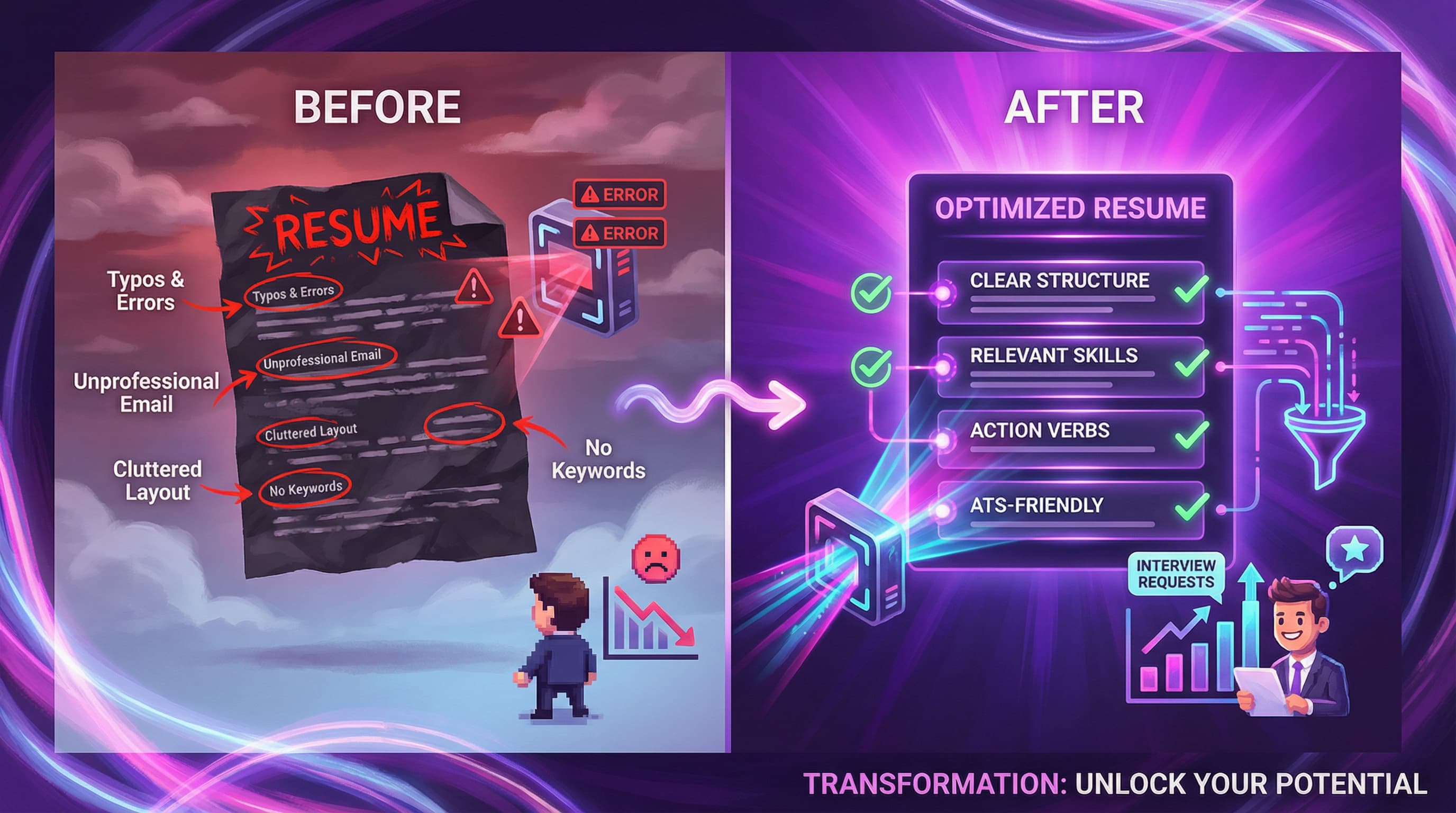
Resume before and after

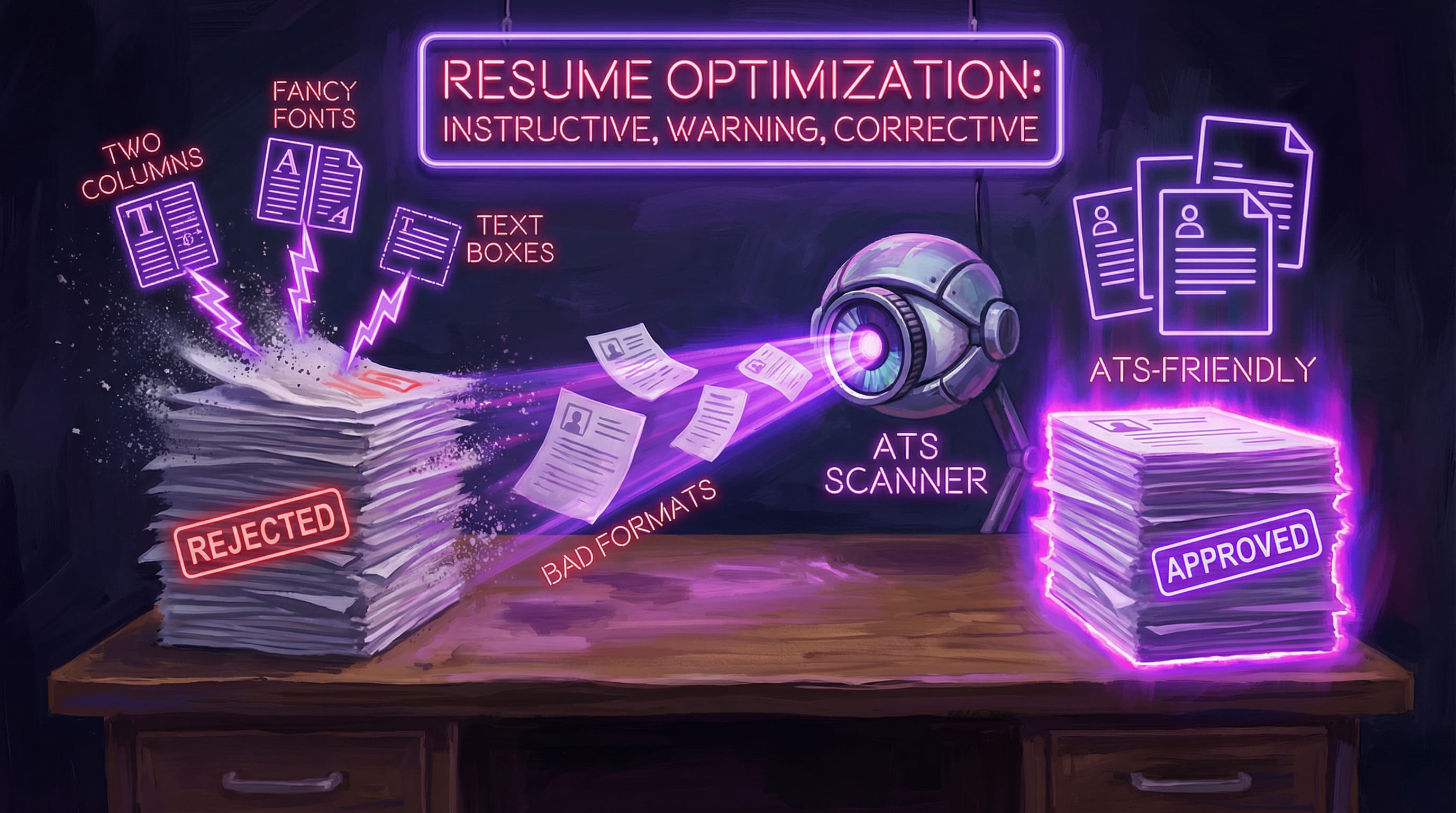
🚫 Mistake #1: The "Creative" Two-Column Layout (ATS Killer)

This is the most common mistake in 2026. You buy a beautiful template from a design site—colorful sidebar, skill bars, icons, maybe even a photo. It looks stunning in PDF, but it's an absolute disaster for hiring.

The Problem:

A resume that uses multi-column layouts, text boxes, or sidebar designs signals visual appeal over compatibility. While it might impress you, it's an enemy to ATS systems and often reads as unprofessional in traditional industries.

Why It Fails:

Most ATS parsers read left-to-right, top-to-bottom in a linear fashion. When they encounter a two-column layout, they often scramble the text, reading a line from the left column and immediately jumping to combine it with a line from the right column.

What happens:

  • Your carefully organized information becomes jumbled nonsense
  • Critical details (like contact info or job titles) get skipped entirely
  • The ATS can't parse your qualifications, so you score poorly in keyword matching
  • Text boxes and columns are completely invisible to automated screening software

Bad Example (What the ATS Actually Sees):

Gino Smith • Skills: Python • Experience • Senior Dev • Contact: 555-0199 • 
SQL • 2020-Present • Education • JavaScript • Stanford University • React • 
Portfolio: github.com • 2018 • Node.js

The result? Total gibberish. The ATS can't tell where your experience starts, what your actual role was, or even how to contact you.

Good Example (Single-Column, ATS-Friendly Layout):

Gino Smith
Email: gino.smith@gmail.com | Phone: 555-0199 | LinkedIn: linkedin.com/in/ginosmith

PROFESSIONAL EXPERIENCE
Senior Developer | TechCorp Inc. | Jan 2020 – Present

TECHNICAL SKILLS
Languages: Python, JavaScript, SQL
Frameworks: React, Node.js, Django

EDUCATION
Bachelor of Science, Computer Science | Stanford University | 2018
The Fix:
  • Use a single-column, left-aligned layout with standard margins (0.5" to 1")
  • Avoid tables, text boxes, and multiple columns entirely
  • Skip decorative elements like icons, graphics, or skill bars
  • Test your resume by copying it into Notepad—if it reads cleanly there, it's ATS-friendly
  • Save the creativity for your portfolio website or LinkedIn banner

💡 Pro Tip: A "boring," clean, single-column resume with clear achievements will outperform a beautifully designed graphic resume 99% of the time. The #1 best resume layout for 2026 is simple, scannable, and structured.


🚫 Mistake #2: The "Functional" Resume Format (The Red Flag Format)

ATS System

A "Functional Resume" (also called skills-based resume) groups experience by skill categories (e.g., "Leadership," "Project Management," "Technical Skills") rather than by chronological job history. Candidates often use this format to hide employment gaps, frequent job changes, or career pivots.

The Problem:

While the functional format might seem like a clever way to highlight skills over timeline, it's become increasingly problematic in 2026. Both ATS systems and human recruiters have learned to distrust this approach.

Why It Fails:

Recruiters hate this format, and here's why:

  1. Immediate Suspicion: Recruiters automatically assume you're hiding something—employment gaps, being fired, lack of career growth, or job-hopping.
  2. Context Loss: It doesn't show where, when, or how recently you used those skills. Did you learn "Project Management" 10 years ago in a junior role, or last month as a senior leader?
  3. ATS Incompatibility: Modern ATS systems are 70% more likely to misinterpret functional resumes because they expect clear chronological structure to parse your career progression.
  4. Verification Difficulty: Hiring managers can't easily verify your claims or contact previous employers when your work history is minimized.
  5. Industry Rejection: In traditional industries (finance, healthcare, law, government), functional resumes are often automatically rejected.

Bad Example (Functional Format):

CORE COMPETENCIES

Leadership & Team Management
• Led a team of 10 developers to launch a new mobile app
• Managed a $50k project budget and delivered on time
• Mentored 3 junior developers to promotion

Project Management
• Coordinated cross-functional teams across 5 departments
• Implemented Agile methodologies resulting in faster delivery

WORK HISTORY
TechCorp | 2020-2024
StartupInc | 2018-2020
FreelanceWeb | 2016-2018

What's wrong: A recruiter immediately wonders: "Which company did they lead 10 developers at? Was that recently or 8 years ago? Why are they hiding the details? What happened at FreelanceWeb—why only 2 years?"

Good Example (Reverse-Chronological Format):

PROFESSIONAL EXPERIENCE

Senior Developer | TechCorp Inc. | San Francisco, CA | Jan 2020 – Present
• Led a team of 10 developers to launch a new mobile app, managing a $50k budget and delivering 2 weeks ahead of schedule
• Mentored 3 junior developers, with all three earning promotions within 18 months
• Implemented Agile methodologies, reducing sprint delivery time by 30%

Full-Stack Developer | StartupInc | Remote | Mar 2018 – Dec 2019
• Coordinated cross-functional teams across engineering, design, and marketing departments for product launches
• Built responsive web applications using React and Node.js for 50K+ monthly active users

What's better: Clear timeline, specific context for every achievement, verifiable employment history, and recent accomplishments are obvious.

The Fix:
  • Use reverse-chronological format as your default—it's the gold standard for 2026
  • If you have gaps: Address them briefly with a one-liner like "Career transition (2021-2022)" or "Parental leave"
  • If you're changing careers: Use a hybrid (combination) format that includes a strong skills section plus clear work history
  • Show progression: Let employers see your growth trajectory over time
When Functional Might Work (Rarely):
  • You're a recent graduate with only internships
  • You're making a dramatic career change (e.g., teacher to software developer) with minimal relevant work history
  • You have legitimate, major gaps (e.g., 5+ years out of workforce)

Even then, a hybrid approach is safer than pure functional.

💡 Pro Tip: Transparency builds trust. Recruiters would rather see an honest employment gap with a brief explanation than a functional resume that raises red flags.


🚫 Mistake #3: Unprofessional Contact Info, Fonts & Inconsistent Formatting

Details matter—often more than you think. Your email address, font choice, and formatting consistency set the tone before a recruiter reads a single bullet point. These seemingly small elements can instantly disqualify you.

The Problem:

Your contact information is the gateway to communication. An unprofessional email address creates an immediate negative impression and suggests poor judgment. Similarly, using "fun" fonts or inconsistent formatting signals that you don't understand professional norms.

Why It Fails:

Hiring managers and recruiters form snap judgments in the first 2-3 seconds based on visual professionalism. Before they even read your qualifications, they're assessing:

  • Do you understand workplace norms?
  • Are you detail-oriented?
  • Will you represent our company professionally?

A résumé that fails these basic tests gets rejected instantly.

Bad Examples:

Unprofessional Email Addresses:

  • partygirl92@hotmail.com
  • budmasterdave@gmail.com
  • sexy.photographer@yahoo.com
  • cooldude2000@aol.com
  • ilovemycat123@yahoo.com

Inappropriate Fonts:

  • Comic Sans (the cardinal sin of professional documents)
  • Brush Script, Papyrus, or handwriting-style fonts
  • Fonts with excessive serifs or unusual spacing
  • Mixing multiple fonts (e.g., Times New Roman for headers, Arial for body, Courier for dates)

Inconsistent Formatting:

  • Dates formatted as "Jan 2023" then switching to "1/23" then "January, 2024"
  • Some bullet points ending with periods, others without
  • Inconsistent spacing between sections (2 lines after one section, 1 line after another)
  • Phone number formatted as "555-123-4567" in one place and "(555) 123 4567" in another
  • Random capitalization: "senior Developer" or "MARKETING MANAGER"

Outdated Contact Elements:

  • Including "References available upon request" (this is assumed in 2026)
  • Listing full street address (unnecessary and can create location bias)
  • Missing LinkedIn profile URL
  • Using a fax number

Good Examples:

Professional Email Addresses:

  • firstname.lastname@gmail.com
  • firstnamelastname@gmail.com
  • f.lastname@gmail.com
  • firstnamemiddleinitial.lastname@gmail.com

ATS-Friendly Fonts:

  • Calibri (Modern, clean, highly readable)
  • Arial or Helvetica (Classic sans-serif)
  • Roboto (Contemporary, professional)
  • Times New Roman or Cambria (Traditional serif—use if applying to conservative industries)
  • Verdana (Excellent screen readability)

Font Sizing:

  • Body text: 10-12pt
  • Section headers: 12-14pt
  • Name at top: 14-16pt (can be slightly larger, but not excessive)

Consistent Date Format:

  • "Jan 2022 – Dec 2023"
  • "January 2022 – December 2023"
  • "01/2022 – 12/2023"

Pick one format and stick with it throughout the entire document.

Proper Contact Section:

Gino Smith
Email: gino.smith@gmail.com | Phone: (555) 123-4567 | City, State
LinkedIn: linkedin.com/in/ginosmith | Portfolio: ginosmith.com
The Fix:
  • Create a professional email using your full name—if your name is taken, add a middle initial or number
  • Use one professional font throughout your entire resume (Calibri, Arial, or Helvetica are safest)
  • Standardize all formatting: Pick one date format, one bullet style, one heading style, and use it consistently
  • Include essential contact info only: Name, phone, email, city/state, LinkedIn URL (GitHub for tech roles)
  • Skip outdated elements: Remove "References available," full address, and fax numbers
  • Proofread for consistency: Check that all company names, job titles, and dates follow the same format

💡 Pro Tip: Before sending your resume, do a "consistency audit." Check every date, every company name, every job title, and every bullet point. Inconsistency screams carelessness—consistency signals professionalism.


🚫 Mistake #4: Vague Descriptions, Passive Language & Missing Metrics

Listing generic job duties ("Responsible for...") is the fastest way to blend into the pile of rejected resumes. Employers don't want to know what you were supposed to do—they want to know what you actually achieved and the measurable impact you made.

The Problem:

Generic descriptions and passive language fail to differentiate you from other candidates. Without quantifiable metrics, employers have no way to measure your actual impact or value.

Why It Fails:

Every candidate applying for the same role will have similar responsibilities. What separates top candidates from average ones is demonstrable results.

When you write:

  • "Responsible for managing social media accounts" → Every social media manager does this
  • "Helped improve processes" → Vague, passive, no context
  • "Worked with clients" → What did you accomplish? What was the outcome?

The impact: Recruiters skim past these bullets because they provide zero differentiation. You're telling them your job title, not your value.

Bad Examples (Passive, Vague, No Metrics):

• Responsible for managing social media accounts
• Helped improve team processes and workflows
• Worked with clients to deliver projects on time
• Performed administrative duties and assisted management
• Contributed to marketing initiatives
• Handled customer inquiries and complaints
• Supported the sales team with various tasks
• Was responsible for managing a budget
• Participated in meetings and provided input
• Assisted with product launches

What's wrong: These bullets could describe literally anyone in that role. There's no evidence of impact, no metrics, no differentiation. Words like "responsible for," "helped," "assisted," and "worked on" are passive and suggest you were a minor contributor rather than a driver of results.

Good Examples (Active, Specific, Quantified):

• Spearheaded social media strategy across 5 platforms, growing follower base from 10K to 150K in 12 months and increasing engagement rate by 85%
• Optimized team workflows by implementing project management software, reducing project delivery time by 20% and eliminating 15 hours/week of manual status updates
• Led client onboarding for 40+ enterprise accounts worth $2.5M in annual revenue, achieving 95% client satisfaction score
• Streamlined administrative processes, cutting invoice processing time from 5 days to 24 hours and reducing errors by 60%
• Launched email marketing campaign that generated $500K in revenue with 23% conversion rate (3x industry average)
• Resolved an average of 50 customer inquiries daily with 4.8/5 satisfaction rating, earning "Top Performer" recognition for 6 consecutive quarters
• Exceeded sales targets by 140%, closing $1.5M in new business and expanding territory by 30%
• Managed $2M annual budget, identifying cost savings of $200K through vendor renegotiation and process improvements

What's better: Every bullet starts with a strong action verb, describes the specific task, and includes measurable results. Recruiters can instantly see your impact and differentiate you from other candidates.

The Formula That Works:

[Action Verb] + [Specific Task] + [Measurable Result]

Let's break it down:

  1. Action Verb: Start with a powerful, active verb that conveys leadership and initiative

    • Use: Launched, Spearheaded, Optimized, Accelerated, Transformed, Orchestrated, Pioneered, Scaled, Automated
    • Avoid: Helped, Supported, Worked on, Was responsible for, Assisted, Participated in
  2. Specific Task: Describe exactly what you did with enough context to understand scope

    • Include: Platform/tool used, team size, audience size, time frame
    • Example: "social media strategy across 5 platforms" (not just "managed social media")
  3. Measurable Result: Show the impact with concrete numbers

    • Percentages (increased by 40%, reduced by 20%)
    • Dollar amounts ($500K revenue, saved $200K)
    • Time saved (reduced from 5 days to 24 hours)
    • Scale (managed 40+ accounts, led team of 10)
    • Rankings/ratings (4.8/5 satisfaction, top 10% performer)
How to Add Metrics When You Don't Have Them:

If you're struggling to quantify results, ask yourself:

  • Volume: How many? (customers served, projects managed, reports created)
  • Frequency: How often? (daily, weekly, monthly tasks)
  • Scope: How big? (team size, budget size, audience size)
  • Time: How fast? (reduced processing time, met tight deadlines)
  • Comparison: Better than what? (exceeded quota by X%, improved from X to Y)
  • Recognition: Awards, rankings, promotions earned

Before & After Examples:

❌ Vague✅ Quantified
"Managed email campaigns""Managed bi-weekly email campaigns to 50K subscribers, achieving 28% open rate (vs. 18% industry average)"
"Improved customer service""Reduced average response time from 48 hours to 4 hours, improving customer satisfaction scores by 35%"
"Trained new employees""Developed and delivered onboarding program for 25 new hires, reducing time-to-productivity from 8 weeks to 5 weeks"
"Handled social media""Grew Instagram following from 5K to 75K in 9 months through daily engagement and targeted content strategy"
The Fix:
  • Replace passive phrases with strong action verbs
  • Add context and scope to every accomplishment
  • Include metrics wherever possible (aim for 80% of bullets to have numbers)
  • Show impact, not just activity: Focus on outcomes rather than tasks
  • Be specific: Replace general terms with precise details

💡 Pro Tip: If you can't quantify a result with hard numbers, use qualitative achievements: "Recognized as 'Employee of the Quarter,'" "Selected to lead high-priority project," "Promoted ahead of schedule." These still show impact even without specific metrics.


🚫 Mistake #5: Skill Ratings, Progress Bars & Subjective Assessments

You've seen them on trendy resume templates: little charts showing "Spanish: 4/5 stars," progress bars indicating "JavaScript: 70%," or circular graphs rating your "Communication Skills." They look modern and visual, but they're completely useless—and often harmful.

The Problem:

Visual skill ratings attempt to quantify proficiency in a way that's inherently subjective, meaningless, and unverifiable. They waste valuable resume space and create more confusion than clarity.

Why It Fails:

Skill ratings and progress bars fail for multiple critical reasons:

  1. Subjective & Meaningless: What does "70% JavaScript" actually mean? Do you know 70% of the entire language specification? (Impossible.) Are you 70% as skilled as a senior developer? 70% compared to a beginner? The scale has no objective reference point.

  2. Undermines Your Expertise: If you rate yourself 4/5 stars in Python, recruiters wonder: "Why not 5/5? What are you missing? Are you admitting you're not fully competent?"

  3. Wastes Space: Visual elements take up valuable resume real estate that could be used for actual accomplishments and context.

  4. ATS Incompatibility: Graphics, icons, and visual elements are invisible to ATS systems. The software skips over them entirely, meaning your skills don't get indexed or matched.

  5. Inconsistent Standards: One person's "Expert" is another person's "Intermediate." Without context, these labels are worthless.

  6. Soft Skills Can't Be Rated: Assigning yourself 5/5 stars for "Leadership" or "Communication" looks presumptuous and lacks evidence. Show, don't rate.

Bad Examples:

Visual Skill Bars:

Technical Skills:
HTML/CSS     ████████████████████ 100%
JavaScript   ██████████████░░░░░░  70%
Python       ████████░░░░░░░░░░░░  40%

Star Ratings:

Core Competencies:
• HTML: ⭐⭐⭐⭐⭐
• CSS: ⭐⭐⭐⭐
• Python: ⭐⭐⭐
• Leadership: ⭐⭐⭐⭐⭐
• Communication: ⭐⭐⭐⭐

Circular Charts/Graphs:

[Visual pie chart showing 85% proficiency in Excel]
[Donut chart showing 60% proficiency in Data Analysis]

Self-Assessed Levels Without Context:

Skills:
• Project Management - Advanced
• Data Analysis - Intermediate
• Spanish - Beginner

What's wrong: None of these provide actionable information. A recruiter can't verify your self-rating, ATS can't parse the graphics, and there's no proof or context to support your claims.

Good Examples:

Tiered Skills with Context:

TECHNICAL SKILLS
Proficient: HTML5, CSS3, JavaScript (ES6+), React, Node.js, Git
Familiar: Python, Django, PostgreSQL, Docker
Tools: VS Code, Figma, Jira, Slack, GitHub

Skills with Certifications/Proof:

TECHNICAL SKILLS & CERTIFICATIONS
Languages: Python (5+ years), JavaScript (ES6+), SQL
Frameworks: React, Node.js, Django
Certifications: AWS Certified Solutions Architect (2024), Google Analytics Certified

Skills Demonstrated Through Experience:

CORE COMPETENCIES
• Project Management: Led 15+ cross-functional projects using Agile/Scrum, with 100% on-time delivery
• Data Analysis: Built Python-based analytics dashboards processing 1M+ records daily
• Multilingual: Fluent in English and Spanish (conducted 50+ client presentations in both languages)

Industry-Specific Skills:

MARKETING SKILLS
Strategy: SEO/SEM, Content Marketing, Email Automation, Social Media Management
Analytics: Google Analytics, Mixpanel, Tableau, SQL
Platforms: HubSpot, Salesforce, Mailchimp, Hootsuite
Achievements: Increased organic traffic by 200% through SEO optimization (2023)

What's better: Clear, text-based categorization that provides context and proof. Skills are organized logically, and proficiency is implied through years of experience, certifications, or demonstrated achievements—not arbitrary self-ratings.

How to Show Proficiency Without Ratings:

Instead of rating yourself, use these methods:

  1. Years of Experience:

    • "Python (5+ years)" is more meaningful than "Python: 4/5 stars"
  2. Certifications:

    • "AWS Certified Solutions Architect" proves competency better than a self-rating
  3. Demonstrated Results:

    • "Built React applications serving 100K+ users" shows real-world proficiency
  4. Tiered Organization:

    • Group skills as "Expert," "Proficient," or "Familiar" (but only if necessary)
    • Better yet: "Advanced: X, Y, Z | Intermediate: A, B, C"
  5. Context in Experience Bullets:

    • Show how you used the skill with measurable outcomes
    • Example: "Used SQL to analyze 500K customer records, identifying $200K in revenue opportunities"
The Fix:
  • Remove all visual skill ratings: progress bars, star ratings, circular charts
  • Use text-based categorization: Organize skills by proficiency tier or category
  • Provide context: Years of experience, certifications, or specific tools/versions
  • Demonstrate through achievements: Show skill usage in your work experience bullets with measurable results
  • Keep it simple: List skills clearly and let your accomplishments speak to your proficiency

💡 Pro Tip: The best way to prove proficiency isn't through self-ratings—it's through your work experience bullets. Instead of saying "Expert in Excel," show it: "Built Excel-based financial models analyzing $50M in revenue projections, reducing forecast errors by 40%."


🚫 Mistake #6: Spelling, Grammar & Typo Errors

A single typo can cost you an interview. When hiring managers see spelling or grammar mistakes, they question your attention to detail, professionalism, and commitment to the role.

The Problem:

Your resume is the one document you have complete control over—unlimited time to perfect, review, and polish. If you can't get this error-free, why would an employer trust you with important work?

Why It Fails:

Spelling and grammar errors undermine your credibility instantly. Recruiters for detail-oriented roles (accounting, legal, project management, editorial, engineering) will immediately reject your application if they spot mistakes. Even in less formal industries, errors signal carelessness.

Common errors that kill applications:

  • Misspelling company names or industry terms
  • Wrong verb tenses ("managed" vs. "manage" inconsistently)
  • Homophone mistakes (their/there/they're, your/you're, its/it's)
  • Missing or extra punctuation
  • Inconsistent punctuation in bullet points

Bad Examples:

• Responible for managing a team of 5 consultents
• Increased sales bi 40% through strategic marketing initiatives
• Worked with the devlopment team to launch new features
• Acheived top performer status for 3 consecutive quaters
• Managed projects that was completed successfully
• Their are many reasons why I excelled in this role

What's wrong: Multiple spelling errors ("Responible," "consultents," "bi," "devlopment," "Acheived," "quaters"), grammar mistakes ("projects that was"), and basic homophone errors ("Their" instead of "There"). Each error chips away at your credibility.

Good Examples:

• Responsible for managing a team of 5 consultants across 3 client accounts
• Increased sales by 40% year-over-year through strategic marketing initiatives and customer segmentation
• Collaborated with the development team to launch 5 new product features, improving user retention by 25%
• Achieved top performer status for 3 consecutive quarters, ranking in top 5% of 200+ sales representatives
The Fix:
  • Use spell-checkers: Microsoft Word, Google Docs, or Grammarly (free version catches most errors)
  • Read aloud: Your ear catches awkward phrasing your eyes might miss
  • Print it out: Errors are more visible on paper than on screen
  • Have someone else review: Fresh eyes catch mistakes you've become blind to
  • Check company names: Look up the exact spelling/capitalization of every company and tool you mention
  • Verify consistency: Are all job titles capitalized the same way? All dates in the same format?
  • Take a break: Review your resume after a few hours (or next day) with fresh perspective

💡 Pro Tip: Create a checklist before final submission: Company names spelled correctly? All job titles capitalized consistently? No homophone errors? Consistent punctuation in bullets? Verb tenses correct throughout?


🚫 Mistake #7: Wall of Text Instead of Bullet Points

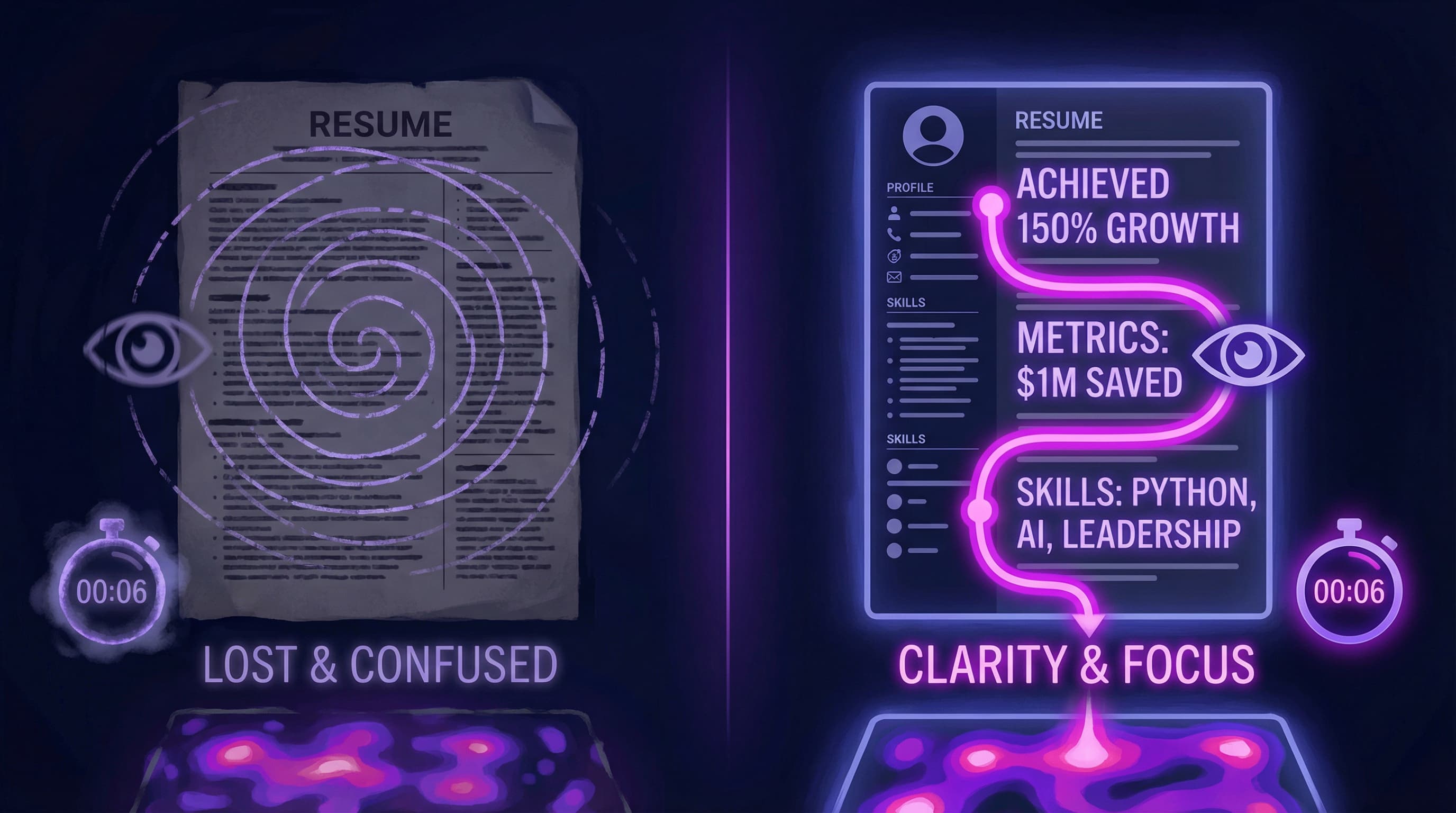
Clarity

Dense paragraph blocks are exhausting to read and fail both the human eye and ATS algorithms. Recruiters spend only 6-10 seconds scanning a resume—if they can't quickly find key information, they move on.

The Problem:

Large blocks of text bury your achievements and make it impossible to quickly identify your value. Recruiters need scannable information to rapidly assess your fit for the role.

Why It Fails:
  • Human Readers: Can't quickly scan paragraphs in the 6-second review window
  • ATS Systems: Struggle to extract key information from dense text blocks
  • Visual Fatigue: Walls of text look intimidating and unprofessional
  • Key Details Hidden: Your best achievements get lost in the narrative

Bad Example (Wall of Text):

MARKETING MANAGER | ABC Corporation | 2020-2024

Managed a team of marketing professionals responsible for developing and executing comprehensive marketing campaigns across multiple channels including social media, email marketing, and digital advertising. Responsible for budget allocation, performance tracking, and team development initiatives. Worked closely with sales and product teams to ensure alignment of messaging and strategy to drive overall business growth. Oversaw the creation of marketing materials and coordinated with external vendors and agencies to execute campaigns. Also managed the company's social media presence and implemented new tools to improve efficiency.

What's wrong: This paragraph could describe any marketing manager. The achievements are buried, there's no quantification, and it's impossible to scan quickly. A recruiter's eyes glaze over.

Good Example (Scannable Bullet Points):

MARKETING MANAGER | ABC Corporation | New York, NY | Jan 2020 – Present

• Led team of 8 marketing professionals, launching integrated campaigns across social media, email, and paid advertising that generated $2.5M in revenue
• Managed $500K annual marketing budget, achieving 35% ROI and reducing cost-per-acquisition by 28%
• Grew social media following from 15K to 200K across 4 platforms in 18 months, increasing engagement rate by 150%
• Implemented marketing automation platform (HubSpot), reducing campaign deployment time by 40% and improving lead nurturing efficiency
• Partnered with sales leadership to align messaging strategy, resulting in 45% increase in qualified leads and 20% improvement in close rate

What's better: Clean, scannable bullets that start with action verbs and include specific metrics. A recruiter can instantly see the scope, impact, and results.

The Fix:
  • Use 3-5 bullet points per role (no more, no less)
  • Keep bullets to 1-2 lines maximum for readability
  • Start each bullet with a strong action verb
  • Follow the formula: Action + What + Result (with metrics)
  • Prioritize bullets: Put most impressive/relevant achievements first
  • Use parallel structure: Keep grammatical structure consistent across bullets

💡 Pro Tip: If you have a long accomplishment that needs context, break it into two bullets: one for the action, one for the result. Example: "Led company-wide digital transformation initiative involving 200+ employees" followed by "Resulted in 50% reduction in manual processes and $300K annual cost savings."


🚫 Mistake #8: Generic Resume (Not Tailored to Each Job)

Sending the same generic resume to every application is a guaranteed way to fail ATS screening and bore hiring managers. A one-size-fits-all approach shows lack of genuine interest in the role.

The Problem:

Every job posting has specific requirements, keywords, and priorities. A generic resume that doesn't speak directly to those needs will score poorly in ATS screening and fail to resonate with recruiters—even if you're qualified.

Why It Fails:
  • ATS Scoring: Systems rank resumes based on keyword matching with the job description. Generic resumes score lower than tailored ones.
  • Lack of Relevance: Hiring managers can tell immediately when a resume is mass-produced vs. customized
  • Missed Keywords: You're not using the specific terminology and skills mentioned in the posting
  • Wrong Priorities: You're highlighting experiences that don't match what this specific role values
  • Generic Objective/Summary: Vague language like "seeking to utilize my skills" doesn't connect to this employer's needs

Bad Examples (Generic, One-Size-Fits-All):

Generic Objective Statement:

OBJECTIVE
To obtain a challenging position that will utilize my skills and experience to contribute to company success and advance my career.

Generic Skills Section:

SKILLS
• Microsoft Office (Word, Excel, PowerPoint)
• Communication
• Time Management
• Problem Solving
• Team Player
• Customer Service
• French Language Proficiency

Non-Tailored Experience Bullets:

MARKETING COORDINATOR | 2021-2024
• Created marketing materials and campaigns
• Managed social media accounts
• Worked with various departments
• Attended meetings and provided updates
• Assisted with special projects

What's wrong: None of this is customized to the specific job. The objective is selfish ("what I want") instead of value-focused ("what I offer you"). Skills are generic soft skills or irrelevant (French when not mentioned in posting). Experience bullets could apply to any marketing role.

Good Example (Tailored to Specific Job):

Scenario: Applying for "Senior Social Media Manager - B2B SaaS" role that emphasizes LinkedIn strategy, lead generation, and analytics.

Tailored Professional Summary:

PROFESSIONAL SUMMARY
Senior Social Media Manager with 6+ years driving B2B lead generation through data-driven LinkedIn and Twitter strategies. Expertise in social selling, content optimization, and analytics-driven decision making. Proven track record growing qualified B2B leads by 200%+ through organic social campaigns in SaaS environments.

Tailored Skills Section:

CORE COMPETENCIES
B2B Social Strategy | LinkedIn Marketing | Lead Generation | Social Selling | Analytics & Reporting
Tools: LinkedIn Campaign Manager, Hootsuite, Google Analytics, Salesforce, HubSpot

Tailored Experience Bullets (reordered by relevance):

MARKETING MANAGER | TechCorp (B2B SaaS) | 2021 – Present

• Developed LinkedIn-first social media strategy that generated 1,200 qualified B2B leads and $800K in pipeline revenue in 12 months
• Grew company LinkedIn following from 5K to 45K, achieving 8% engagement rate (3x industry average for B2B SaaS)
• Implemented social listening and analytics framework using Hootsuite and Google Analytics, optimizing content strategy and improving conversion rates by 35%
• Trained sales team of 15 on social selling techniques, resulting in 40% increase in LinkedIn-sourced opportunities
• Managed $150K paid social budget across LinkedIn and Twitter, achieving 25% lower cost-per-lead than previous campaigns

What's better: Every element directly addresses the job requirements. Keywords match the posting ("B2B," "LinkedIn," "lead generation," "analytics," "SaaS"). The summary and bullets prioritize relevant achievements. The recruiter immediately sees this candidate understands their specific needs.

How to Tailor Effectively:
  1. Analyze the job description:

    • Highlight 5-7 key required skills
    • Note specific tools, technologies, or methodologies mentioned
    • Identify priority outcomes (revenue growth, cost savings, efficiency, etc.)
  2. Customize your Professional Summary:

    • Mirror language from the job description
    • Lead with the most relevant experience for this specific role
    • Include 1-2 key achievements that match their priorities
  3. Reorder your Skills section:

    • Put the top 5-7 skills from the job description at the top of your list
    • Remove irrelevant skills that don't apply to this role
    • Include both the full term and acronym (e.g., "Search Engine Optimization (SEO)")
  4. Prioritize relevant experience bullets:

    • Put the most relevant achievements first in each role
    • Emphasize experiences that match this job's requirements
    • De-emphasize or remove bullets that don't apply
  5. Use job-specific language:

    • If they say "cross-functional collaboration," use that exact phrase
    • Mirror their terminology for tools, processes, and outcomes
    • Match their tone (formal vs. casual, traditional vs. innovative)
The Fix:
  • Create 2-3 "base versions" of your resume for different job types (e.g., one for content marketing, one for social media management)
  • Customize for each application: Spend 15-20 minutes tailoring your summary, skills, and bullet priorities
  • Use keywords naturally: Weave job description keywords into your existing achievements (don't keyword stuff)
  • Check ATS match score: Use tools like Jobscan or Teal to see how well your resume matches the posting (aim for 70-80% match)
  • Save each version: Name files clearly (e.g., "Gino_Smith_Resume_SocialMediaManager_XYZCompany.pdf")

💡 Pro Tip: Quality over quantity. It's better to submit 5 highly tailored resumes than 50 generic ones. Each tailored application significantly increases your chances of getting past ATS and landing an interview.


🚨 Quick Audit: Red Flags That Scream "Reject"

Before you hit send, check your resume against this list of instant deal-breakers that cause immediate rejection.

Red FlagWhy It MattersThe Fix
Typos / Grammar ErrorsQuestions your attention to detail and professionalismProofread 3x, use Grammarly, have someone else review
Unprofessional EmailSignals poor judgment and lack of workplace awarenessCreate professional email using firstname.lastname@gmail.com
Photo / HeadshotCan create age/appearance bias (illegal in US/UK/CA); confuses ATSRemove it entirely (unless you're a model/actor or it's culturally expected)
"References Available Upon Request"Outdated, assumed in 2026, wastes valuable spaceDelete it completely
Wall of Text / ParagraphsImpossible to scan in 6-10 seconds; ATS struggles to parseUse 3-5 concise bullet points per role
Generic Objective StatementSelfish ("What I want") instead of value-focusedReplace with Professional Summary highlighting what you offer the employer
Keyword StuffingLooks fake to humans; ATS algorithms now detect over-optimizationUse keywords naturally within context of real achievements
Inconsistent FormattingMakes you look careless and unprofessionalUse uniform fonts, spacing, date formats, and bullet styles
Missing Metrics / Vague ClaimsDoesn't differentiate you or prove impactAdd specific numbers, percentages, dollar amounts to every bullet
Functional Resume FormatRaises suspicion of hiding gaps or lack of growthUse reverse-chronological or hybrid format instead
Multi-Column LayoutATS cannot parse correctly; information gets scrambledStick to single-column, left-aligned layout
Skill Rating Bars/StarsSubjective, meaningless, wastes space; invisible to ATSUse text-based skill categories with context
Personal InformationUnnecessary; can create biasSkip age, marital status, photo, full address (city/state is enough)
Unexplained Employment GapsRaises questions and concernsAdd brief explanation: "Career transition," "Parental leave," "Professional development"
All Caps or Excessive Punctuation!!!Looks unprofessional and desperateUse normal capitalization and standard punctuation
Generic, Untailored ContentShows lack of genuine interest; scores poorly in ATSCustomize summary, skills, and experience priorities for each application
Missing LinkedIn URLMissed opportunity to provide additional contextInclude clickable LinkedIn profile link in contact header
Outdated or Irrelevant ExperienceWastes space; dilutes your relevant qualificationsFocus on last 10-15 years; remove ancient or unrelated roles
Passive LanguageSuggests you were a minor contributor, not a driverUse strong action verbs: Launched, Spearheaded, Optimized, Transformed
File Format IssuesATS may not be able to open or parse your resumeSave as .docx or PDF (check job posting for preference); avoid .pages, images

🏢 Common Mistakes by Industry (And How to Fix Them)

Resume mistakes often vary by industry and role type. Here's what to avoid in your specific field—and what to emphasize instead:

💻 Tech & Engineering Roles

Common Mistakes:

  • Missing GitHub, portfolio, or live project links → Employers want to see your actual code and work
  • Listing "Microsoft Office" as a primary technical skill → It's assumed for tech roles; wastes space
  • Vague technical accomplishments → "Improved system performance" tells nothing about your actual impact
  • Not showing specific technologies/versions → "Worked with databases" vs. "PostgreSQL 14, MongoDB 5.0"
  • Bullet points without technical context → What stack? What scale? What architectural decisions?
  • Ignoring metrics → Code is measurable: speed improvements, user scale, uptime, efficiency

❌ Bad Example:

• Worked on backend systems to improve performance
• Developed web applications using modern frameworks
• Collaborated with team to fix bugs

✅ Good Example:

• Optimized PostgreSQL database queries, reducing average response time from 3.2s to 400ms and improving application performance by 87%
• Built React-based dashboard serving 100K+ daily active users with 99.9% uptime, deployed on AWS using Docker and Kubernetes
• Architected microservices migration from monolithic Rails app, reducing deployment time from 45 minutes to 8 minutes
• GitHub: github.com/username | Portfolio: ginosmith.dev

The Fix:

  • Include links: GitHub profile, portfolio site, or live project demos
  • Be specific about tech stack: Languages, frameworks, tools, versions
  • Show scale and impact: User numbers, data volume, performance improvements, uptime percentages
  • Highlight architecture decisions: Microservices, cloud infrastructure, database optimization
  • Use technical metrics: Response time, throughput, code coverage, deployment frequency

🎨 Marketing, Creative & Content Roles

Common Mistakes:

  • Prioritizing "creative" resume design over substance → Your resume isn't your portfolio
  • Not quantifying campaign results → Missing ROI, impressions, click-through rates, conversions
  • Generic buzzwords without proof → "Creative thinker," "Innovative campaigns" mean nothing without data
  • Missing specific channels and platforms → "Managed social media" vs. "Managed Instagram, TikTok, LinkedIn"
  • Failing to show business impact → Marketers drive revenue and growth—show it

❌ Bad Example:

• Created engaging content for social media platforms
• Developed creative marketing campaigns
• Managed brand presence across multiple channels

✅ Good Example:

• Launched integrated Instagram and TikTok campaign that generated 2.5M impressions, 150K engagements, and drove $400K in direct revenue with 8:1 ROI
• Developed content marketing strategy producing 50+ blog posts and videos, increasing organic traffic from 20K to 180K monthly visitors (800% growth)
• Managed brand presence across 5 platforms (Instagram, LinkedIn, Twitter, TikTok, YouTube), growing combined following from 25K to 200K in 18 months
• Portfolio: ginoportfolio.com

The Fix:

  • Keep resume design clean and ATS-friendly → Save creativity for your portfolio
  • Quantify everything: Impressions, reach, engagement rate, click-through rate (CTR), conversion rate, ROI
  • Name specific platforms and tools: Instagram, TikTok, LinkedIn, HubSpot, Mailchimp, Google Analytics
  • Show business outcomes: Revenue generated, leads created, cost savings, brand awareness metrics
  • Include portfolio link: Showcase your best creative work there, not on your resume

💼 Sales & Business Development

Common Mistakes:

  • Hiding quota or revenue numbers → Sales is about numbers; not including them raises red flags
  • Vague achievement claims → "Increased revenue significantly" is meaningless
  • Not showing quota attainment → Did you hit 80% or 150% of target? Huge difference
  • Missing deal sizes or account values → Scale matters
  • Failing to show pipeline management → Sales is a process, not just closings

❌ Bad Example:

• Managed key client accounts and drove revenue growth
• Exceeded sales targets consistently
• Built strong relationships with enterprise customers

✅ Good Example:

• Exceeded annual quota of $1.5M by 140%, closing $2.1M in new business across 25 enterprise accounts
• Managed pipeline of 50+ opportunities worth $5M, maintaining 78% close rate (vs. team average of 52%)
• Won largest deal in company history: $800K annual contract with Fortune 500 client, beating 3 competitors
• Expanded existing accounts by average of 35% year-over-year through upselling and cross-selling strategies

The Fix:

  • Show quota attainment percentages → "Exceeded quota by X%" or "Achieved 120% of $X target"
  • Include specific revenue numbers → Annual sales, deal sizes, account values
  • Demonstrate pipeline management → Number of opportunities, pipeline value, close rates
  • Highlight competitive wins → Beating competitors, winning key accounts
  • Show account growth → Upselling, cross-selling, retention rates

📊 Operations, Project Management & Process Improvement

Common Mistakes:

  • Not specifying project scope → Missing budget size, timeline, team size, stakeholder count
  • Vague process improvement claims → "Improved efficiency" without before/after metrics
  • Missing cost savings or time savings → Operations roles drive efficiency—prove it
  • Failing to show cross-functional leadership → How many teams/departments did you coordinate?
  • No mention of methodologies → Agile, Six Sigma, Lean, Scrum, Waterfall

❌ Bad Example:

• Led various projects to improve company operations
• Worked with multiple departments to streamline processes
• Managed team to complete deliverables on time

✅ Good Example:

• Led cross-functional ERP implementation project with $2M budget, coordinating 40+ stakeholders across 6 departments and delivering 3 weeks ahead of schedule
• Implemented Lean Six Sigma process improvements, reducing order fulfillment time from 5 days to 24 hours and cutting operational costs by $300K annually
• Managed portfolio of 12 concurrent projects worth $8M, achieving 100% on-time delivery rate with zero budget overruns
• Trained 50+ employees on Agile/Scrum methodologies, improving team velocity by 35% within 6 months

The Fix:

  • Specify project scope: Budget, timeline, team size, number of stakeholders
  • Show efficiency gains: Time saved, cost reduced, error rate decreased
  • Include methodologies: Agile, Scrum, Six Sigma, Lean, PMP, Waterfall
  • Quantify scale: Number of concurrent projects, budget managed, people coordinated
  • Demonstrate business impact: Cost savings, revenue enabled, risk mitigation

💰 Finance, Accounting & Analysis

Common Mistakes:

  • Not prominently displaying certifications → CPA, CFA, CMA are crucial credentials
  • Missing specific financial management experience → Budget sizes, audit scope, financial reporting scale
  • Failing to show cost savings or revenue optimization → Finance roles drive profitability
  • Vague "managed budgets" claims → How large? What type? What outcomes?
  • Not mentioning tools and systems → SAP, Oracle, QuickBooks, Excel (advanced), Tableau

❌ Bad Example:

• Managed company budgets and financial reporting
• Prepared financial statements and conducted analysis
• Worked with auditors on compliance requirements

✅ Good Example:

• Managed $50M annual operating budget across 8 departments, identifying $2.5M in cost savings through vendor renegotiation and process optimization
• Led annual financial audit coordinating with Big 4 firm, achieving clean opinion with zero material weaknesses for 4 consecutive years
• Built financial forecasting models in Excel analyzing 500K+ transactions, improving revenue forecast accuracy from 78% to 94%
• CPA Licensed (California, 2020) | Advanced Excel, SAP, Tableau, QuickBooks

The Fix:

  • Display certifications prominently: CPA, CFA, CMA—put them after your name and in dedicated section
  • Show budget sizes and scope: Annual budgets, audit scale, financial statements complexity
  • Quantify impact: Cost savings, revenue optimization, forecast accuracy improvements
  • Name systems and tools: SAP, Oracle Financials, NetSuite, Tableau, Advanced Excel (pivot tables, VBA, complex formulas)
  • Highlight compliance achievements: Clean audits, regulatory compliance, control implementation

🏥 Healthcare, Medical & Clinical Roles

Common Mistakes:

  • Not listing licenses and certifications upfront → RN, MD, PA-C, etc. are essential credentials
  • Missing patient volume or clinical outcomes → Scale of practice, patient satisfaction, outcome metrics
  • Vague "provided patient care" descriptions → What type of care? What specialties? What outcomes?
  • Failing to show process improvements → Reduced wait times, improved patient satisfaction, streamlined workflows
  • Not mentioning EMR/EHR systems → Epic, Cerner, Meditech are critical tools

❌ Bad Example:

• Provided quality patient care in hospital setting
• Worked with medical team to treat patients
• Followed protocols and procedures

✅ Good Example:

• Delivered direct patient care for 20-25 patients daily in high-acuity ICU setting, achieving 98% patient satisfaction score and zero preventable complications
• Collaborated with interdisciplinary team of 15+ providers to develop care plans, reducing average length of stay by 1.2 days
• Implemented new triage protocol using Epic EMR, reducing emergency department wait times by 35% and improving patient throughput
• RN Licensed (California, Current) | Certifications: BLS, ACLS, CCRN | EMR: Epic, Cerner

The Fix:

  • List licenses/certifications prominently: After your name and in dedicated section
  • Show patient volume and outcomes: Number of patients, satisfaction scores, complication rates
  • Be specific about settings: ICU, ER, outpatient, specialty (cardiology, oncology, etc.)
  • Quantify improvements: Wait time reductions, length of stay, patient satisfaction improvements
  • Name EMR/EHR systems: Epic, Cerner, Meditech, Allscripts

🎓 Education, Teaching & Training

Common Mistakes:

  • Not showing student outcomes or performance → Test scores, graduation rates, college acceptance
  • Vague "taught students" descriptions → What subjects? What grades? What methodologies?
  • Missing curriculum development or program creation → Did you create new courses or improve existing ones?
  • Failing to quantify scale → How many students? How many classes? What time period?
  • Not mentioning certifications or specializations → State teaching licenses, subject certifications, special education credentials

❌ Bad Example:

• Taught high school math classes
• Developed lesson plans for students
• Participated in professional development

✅ Good Example:

• Taught AP Calculus and Algebra II to 120+ students across 5 classes, achieving 92% AP exam pass rate (vs. 68% national average)
• Developed differentiated curriculum for diverse learners including 15 IEP students, improving class average test scores by 18%
• Designed and launched after-school STEM program serving 40 students, with 85% of participants pursuing STEM majors in college
• Certified: Mathematics Teacher (CA), National Board Certified Teacher (NBCT)

The Fix:

  • Show student outcomes: Test scores, pass rates, graduation rates, college acceptance
  • Specify subjects and grade levels: AP Calculus, 9th grade English, Special Education K-5
  • Quantify scale: Number of students, classes, years of experience
  • Highlight curriculum development: New courses created, programs launched
  • List certifications: State teaching license, subject certifications, NBCT, ESL, Special Ed credentials

🛠️ The Ultimate 2026 Resume Checklist (ATS-Optimized)

To ensure your resume lands in the "Interview" pile instead of the rejection folder, follow this comprehensive checklist before submitting any application.

Formatting & Structure Checklist
Feature❌ Avoid (Gets You Rejected)✅ Use (Best Practice)
File FormatMS Word (.doc), Image files (.png/.jpg), .pagesPDF (generated from text, not scanned) or .docx (check job posting for preference)
LayoutMulti-column, Sidebars, Text boxes, Tables, Headers/FootersSingle-column, left-aligned, standard margins (0.5"-1"), no text boxes
FontsComic Sans, Brush Script, Papyrus, excessive serifs, mixing multiple fontsCalibri, Arial, Helvetica, Roboto, Times New Roman (pick one, use consistently)
Font Size8pt (too small), 16pt+ body text (too large), inconsistent sizing10-12pt body text, 12-14pt section headers, 14-16pt name
Length3+ pages (too long), cramming 15 years into 1 page (too dense)1 page (<10 years experience) or 2 pages (10+ years)
Margins0.25" (too tight), 1.5" (wastes space), inconsistent margins0.5" to 1" on all sides, consistent throughout
SpacingSingle spacing (too cramped), triple spacing (too loose), inconsistent1.0 to 1.15 line spacing, consistent between sections
GraphicsPhotos, skill bars, icons, charts, logos, decorative elementsText only—no graphics or visual elements
Bullet PointsInconsistent styles (•, -, >, ✓), numbered lists, no bulletsConsistent bullet style (• or -) throughout entire document
Content Quality Checklist
Element❌ Avoid (Weak)✅ Use (Strong)
Contact Infopartygirl92@hotmail.com, full address, missing LinkedIn, fax numberProfessional email (firstname.lastname@gmail.com), city/state, LinkedIn URL, phone
Summary/Objective"Seeking a challenging position to utilize my skills..."Value-focused summary: "Marketing Manager with 7 years driving B2B growth..."
Experience Bullets"Responsible for managing team" (passive, vague)"Led team of 12, achieving 25% productivity increase" (active, quantified)
Metrics"Increased sales significantly," "Improved efficiency," "Managed large budget"Specific numbers: "Increased sales by 40% ($2M)," "Reduced processing time by 3 days," "Managed $5M budget"
Action VerbsHelped, Assisted, Worked on, Responsible for, Participated inSpearheaded, Launched, Optimized, Transformed, Accelerated, Orchestrated
KeywordsGeneric buzzwords: "Team player," "Hard worker," "Go-getter," "Synergy"Hard skills from job posting: "React," "Salesforce," "P&L Management," "SEO," "Agile"
Job DescriptionsParagraphs, wall of text, 10+ bullets per role3-5 concise bullets per role, 1-2 lines each
Skills Section"Microsoft Office," star ratings (⭐⭐⭐⭐), soft skills onlyHard skills: "Python, JavaScript, React" or "Salesforce, HubSpot, Google Analytics"

💡 Final Verdict: Boring Beats Beautiful (Every Time)

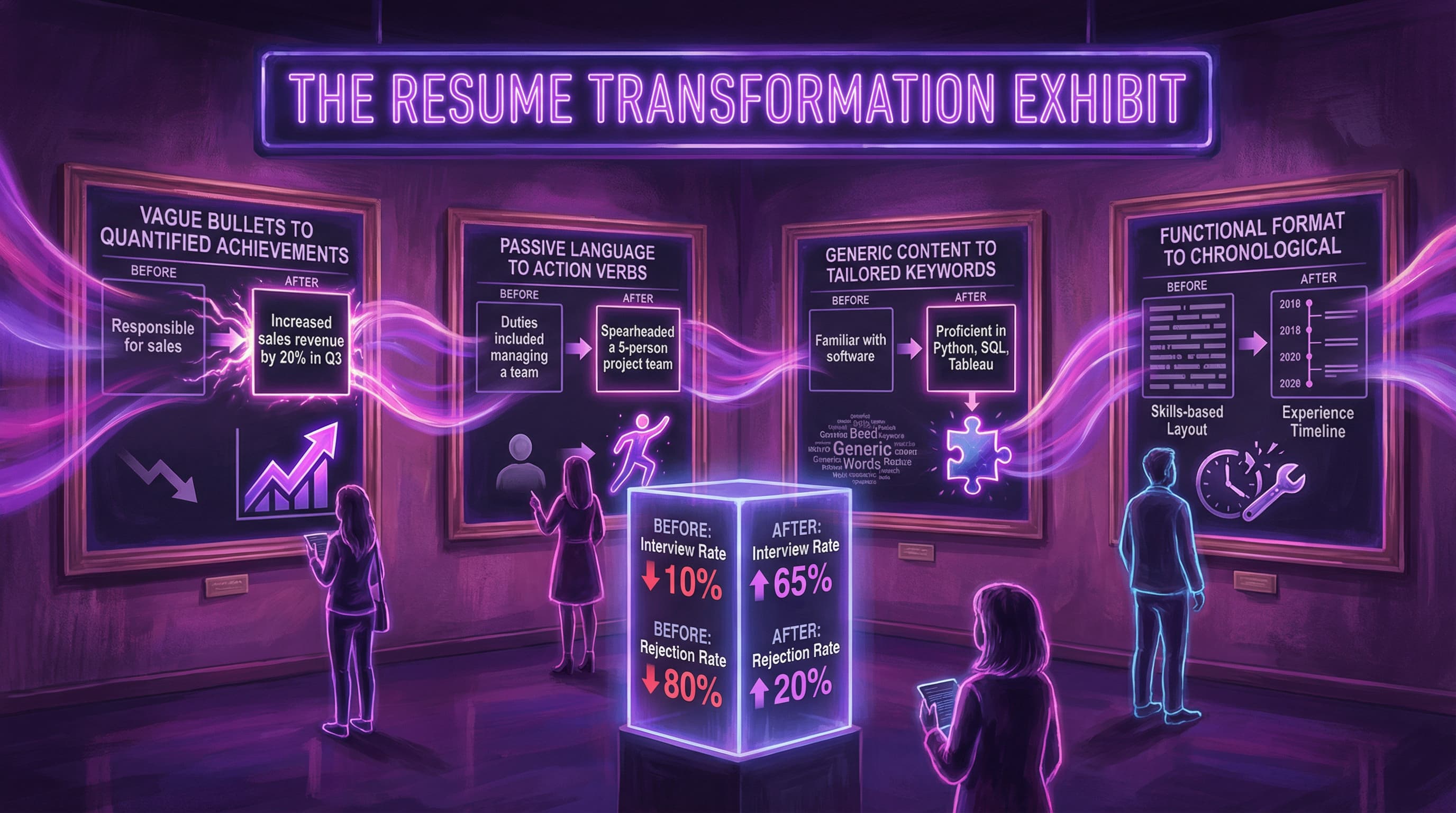
Transformation

It's tempting to want your resume to "stand out" visually with creative designs, colorful layouts, and eye-catching graphics. But in the world of 2026 job applications—dominated by ATS filtering and 6-10 second recruiter scans—substance beats style every single time.

The Reality of Modern Hiring:

75% of resumes never reach human eyes. They're filtered out by ATS systems that can't parse fancy designs, multi-column layouts, or graphic elements. Of the 25% that make it through, recruiters spend an average of 6-10 seconds scanning before deciding "yes" (interview pile) or "no" (rejection folder).

What wins in those 6 seconds?

  • Clear, scannable formatting with distinct sections
  • Quantifiable achievements with specific metrics
  • Relevant keywords that match the job description
  • Professional presentation without distractions

What loses in those 6 seconds?

  • Dense paragraphs that can't be quickly scanned
  • "Creative" layouts that confuse both ATS and humans
  • Vague descriptions without measurable impact
  • Generic content that could apply to anyone
The Winning Formula:

A "boring," clean, single-column resume that clearly lists your achievements, skills, and metrics will outperform a beautifully designed graphic resume 99% of the time.

Here's why:

  1. ATS can parse it → You actually get through the first filter
  2. Recruiters can scan it → Your key qualifications are instantly visible
  3. Your achievements shine → Content takes center stage, not design
  4. It's adaptable → Easy to tailor for each application
  5. It looks professional → Shows you understand workplace norms

❓ Frequently Asked Questions: Bad Resumes & How to Fix Them

Q: Can I use color on my resume?

A: Yes, but use it very sparingly and strategically. Subtle color can enhance readability without hurting ATS compatibility.

Safe approach:

  • Use dark, professional colors: Navy blue, dark gray, dark green for section headers
  • Limit color to headers or your name only
  • Ensure high contrast (dark text on white background)
  • Test that your resume still looks professional when printed in black & white

Avoid:

  • Bright neon colors (pink, bright yellow, electric blue)
  • Full-page colored backgrounds
  • Multiple colors throughout
  • Light text on dark backgrounds (reverses don't print well)

Bottom line: When in doubt, stick with black text on white background. It's safe, professional, and always ATS-friendly.


Q: Is the Functional Resume format ever okay to use?

A: Rarely—and even then, a Hybrid (Combination) format is almost always safer.

When functional might work:

  • You're a recent graduate with only internships (but chronological is still better)
  • You're making a dramatic career change (e.g., Teacher → Software Developer) with minimal relevant work history
  • You have a 5+ year employment gap and need to emphasize current skills

But here's the problem: Recruiters distrust functional resumes because they assume you're hiding something (gaps, terminations, lack of growth). ATS systems also struggle to parse them correctly.

Better alternative: Use a Hybrid format that includes:

  1. Strong Professional Summary highlighting relevant skills
  2. Core Competencies/Skills section upfront
  3. Clear, reverse-chronological work history

This gives you the benefits of highlighting skills while maintaining the transparency and structure that recruiters and ATS systems expect.


Q: How do I "beat" the ATS?

A: Stop trying to "beat" it and start working with it. Modern ATS systems are sophisticated—trying to game them with keyword stuffing or hidden text will backfire.

What actually works:

  • Use standard section headers: "Experience," "Education," "Skills" (not creative alternatives like "My Journey" or "Where I've Been")
  • Use standard fonts: Calibri, Arial, Helvetica, Times New Roman
  • Mirror job description language: If they say "Project Management," use that exact phrase (include both "PM" and "Project Management")
  • Single-column layout: No text boxes, tables, or multi-column designs
  • Save as .docx or PDF: Check the job posting for preference
  • Include keywords naturally: Weave them into your actual achievements, not in a hidden block of text

What doesn't work (and will get you caught):

  • White text on white background to hide keywords
  • Keyword stuffing (listing skills 20 times)
  • Using tiny font or invisible characters
  • Copying entire job description into your resume

Pro tip: Use free ATS checker tools like Jobscan, Teal, or Resume Worded to see how well your resume matches the job posting. Aim for 70-80% match.


Q: Should I include a photo on my resume?

A: No—not in the US, UK, Canada, or Australia. Photos can create bias and are often discouraged or illegal in hiring.

Why to avoid photos:

  • Creates potential for age, race, gender, or appearance discrimination
  • Takes up valuable space that could showcase achievements
  • Can confuse ATS systems (they can't parse images)
  • Looks unprofessional in countries where it's not standard practice

Exceptions:

  • Some European and Asian countries expect photos (Germany, France, parts of Asia)
  • Acting, modeling, or entertainment industry roles where appearance is relevant
  • LinkedIn profile (this is expected and appropriate)

When in doubt: Skip the photo and let your achievements speak for themselves.


Q: How long should my resume be?

A: 1 page if you have less than 10 years of experience. 2 pages maximum if you have 10+ years.

Why length matters:

  • Recruiters spend 6-10 seconds scanning—they won't read a 4-page resume
  • Longer doesn't mean better; it often signals inability to prioritize
  • ATS systems have no problem with 2 pages, but humans lose patience

How to fit everything:

  • Focus on last 10-15 years of experience
  • Use 3-5 bullets per role (not 8-10)
  • Remove outdated or irrelevant jobs
  • Consolidate early career roles: "Various roles in retail and customer service (2005-2010)"
  • Use concise language: 1-2 lines per bullet

Exception: Academic CVs (for research, faculty positions) can be longer, as they need to list publications, grants, and research projects.


Q: I have an employment gap. Should I use a Functional resume to hide it?

A: No. Transparency is better than trying to hide it. Recruiters will notice gaps regardless, and using a functional format just raises more red flags.

Better approaches:

  1. Address it briefly in your summary or cover letter:

    • "Career transition (2021-2022): Completed full-stack coding bootcamp and built 3 portfolio projects"
    • "Parental leave (2022-2023)"
    • "Professional development and freelance consulting (2020-2021)"
  2. Use years only (not months):

    • Instead of "March 2020 – June 2020" and "September 2020 – Present" (showing a gap), use "2020" and "2020 – Present"
  3. Fill gaps with relevant activities:

    • Volunteer work, freelance projects, courses, certifications
  4. Use a Hybrid format:

    • Emphasize skills upfront, but still include clear work history

Reality check: Most hiring managers understand that gaps happen (layoffs, health issues, caregiving, education). A brief, honest explanation is far better than trying to hide it. Beyond resume formatting, avoid other common application mistakes by understanding when you really need a cover letter and when to skip it.


Q: Should I list "References available upon request"?

A: No. Delete this line entirely. It's outdated, assumed, and wastes valuable space.

In 2026, it's understood that you'll provide references when asked. No need to state the obvious. Use that space for another achievement or skill instead.


Q: Can I use the same resume for every job application?

A: Technically yes, but you'll drastically reduce your chances of getting interviews.

Why tailoring matters:

  • ATS systems rank resumes by how well they match the job description
  • Generic resumes score lower than tailored ones
  • Recruiters can tell when a resume is mass-produced vs. customized
  • You're competing against candidates who ARE tailoring their resumes

Efficient tailoring strategy:

  1. Create 2-3 "base versions" for different job types (e.g., "Marketing Manager," "Content Strategist," "Social Media Lead")
  2. Spend 15-20 minutes customizing for each specific application:
    • Adjust Professional Summary to match role requirements
    • Reorder Skills section to prioritize job-specific keywords
    • Reorder experience bullets to highlight most relevant achievements
  3. Use ATS checker tools to verify 70-80% keyword match

Bottom line: Quality over quantity. Five tailored applications will outperform 50 generic ones.


Q: What's the best file format—PDF or Word (.docx)?

A: Check the job posting for specific instructions. If none given, .docx is safest.

Why .docx is often safer:

  • More reliably parsed by older ATS systems
  • Easier for recruiters to edit or add notes
  • Works across all systems

When PDF is fine:

  • Job posting specifically requests PDF
  • You're applying through LinkedIn or modern ATS (Greenhouse, Lever, Workday)
  • You want to preserve exact formatting

Critical rule: Only submit PDF if it's text-based (generated from Word/Google Docs), never a scanned image or photo of your resume. Scanned PDFs can't be parsed by ATS.


Q: I'm a creative professional (designer, marketer). Can't I showcase my creativity in my resume design?

A: Your resume isn't your portfolio—it's a professional document that needs to pass ATS and meet hiring norms.

Better approach:

  • Keep your resume clean and ATS-friendly: Simple, single-column, text-based
  • Showcase creativity in your portfolio: This is where visual skills belong
  • Include a portfolio link: "Portfolio: www.yourname.com" in your contact section
  • Let your achievements show creativity: "Designed award-winning campaign that generated 2M impressions and won industry recognition"

Why this matters: Even creative roles require resumes that pass ATS filters. Your portfolio demonstrates your design skills; your resume demonstrates your professional communication and results.


Q: What if I don't have metrics or numbers for my achievements?

A: You have more than you think. Metrics aren't just revenue and percentages—they can be volume, frequency, scale, or time.

Ask yourself:

  • Volume: How many? (customers served, projects managed, reports created, people trained)
  • Frequency: How often? (daily, weekly, monthly responsibilities)
  • Scope: How big? (team size, budget size, audience size, geographic territory)
  • Time: How fast? (reduced processing time, met tight deadlines, ahead of schedule)
  • Comparison: Better than what? (exceeded quota, improved from X to Y, above average)
  • Recognition: Awards, rankings, promotions, "selected to..."

Examples without obvious metrics:

Instead of...Use...
"Managed social media""Managed social media for 50K+ follower base across 3 platforms" (scale)
"Handled customer service""Resolved 40-60 customer inquiries daily with 4.8/5 satisfaction rating" (volume + quality)
"Trained employees""Trained 25 new hires on company systems, reducing onboarding time from 4 weeks to 2 weeks" (volume + time)
"Wrote reports""Produced 10+ financial reports monthly for C-suite presentation" (frequency + audience)

Even qualitative achievements count: "Selected to lead high-priority project," "Promoted ahead of schedule," "Recognized as Employee of the Quarter."


Q: Is it okay to stretch the truth or exaggerate on my resume?

A: Absolutely not. Don't lie, exaggerate, or fabricate anything on your resume.

Why this is dangerous:

  • Background checks verify employment, education, and certifications
  • Professional networks (LinkedIn, industry colleagues) make lies easy to discover
  • Interviews probe deeply into your resume claims—you'll be caught
  • Termination is immediate if lies are discovered after hiring
  • Legal consequences possible for fraud (especially with certifications, degrees)

What you CAN do ethically:

  • Frame achievements in the best light: "Managed key account relationships" (even if it was your main responsibility)
  • Round numbers reasonably: "Approximately 50 clients" instead of "47 clients"
  • Use relevant job titles: If your official title was "Specialist III" but you functioned as a Project Manager, you can say "Project Manager (Specialist III)"
  • Include team achievements you contributed to: "Part of team that..." or "Contributed to $2M revenue growth"

Bottom line: Be honest, be specific, and let your real achievements speak for themselves. Exaggeration isn't worth the risk.


🚀 Your Resume Transformation Starts Now

You now have everything you need to create a resume that:

  • Passes ATS screening with flying colors
  • Captures recruiter attention in those critical 6-10 seconds
  • Communicates your value clearly and compellingly
  • Differentiates you from other candidates
  • Lands you interviews for roles you're qualified for

The most common resume mistakes are 100% preventable:

  • Disorganized formatting → Use single-column, consistent styling
  • Spelling errors → Proofread 3x, use Grammarly
  • Vague descriptions → Add specific metrics and outcomes
  • Generic content → Tailor for each application
  • ATS incompatibility → Follow 2026 formatting standards

Remember: Your resume is a marketing document, not a biography. Every word, bullet, and number should serve one purpose: proving you're the best candidate for this specific role.

The difference between a bad resume that gets auto-rejected and a great resume that lands interviews isn't talent—it's knowing what works in 2026's hiring landscape.

You now have that knowledge. Time to put it to work.

Your next career opportunity is waiting. Don't let a preventable resume mistake stand in your way. If you're just starting your career and building your first resume, be sure to read our guide on how to write a resume with no experience to build a strong foundation from the start.


Frequently Asked Questions

Quick answers to common questions

Most ATS systems read left-to-right, top-to-bottom in a linear fashion. When they encounter a two-column layout, they often scramble the text, reading a line from the left column and immediately jumping to combine it with a line from the right column. This turns your carefully organized information into jumbled nonsense—critical details like contact info or job titles get skipped entirely, and the ATS can't parse your qualifications properly. The result? Your resume scores poorly in keyword matching and gets rejected before a human ever sees it. Solution: Use a single-column, left-aligned layout with standard margins and avoid tables, text boxes, and multiple columns entirely.

Rarely—and even then, a hybrid format is almost always safer. Recruiters distrust functional resumes because they assume you're hiding something (employment gaps, terminations, lack of career growth). The format doesn't show where, when, or how recently you used skills, and modern ATS systems are 70% more likely to misinterpret functional resumes because they expect clear chronological structure.

When it might work: Recent graduates with only internships, dramatic career changes with minimal relevant work history, or 5+ year employment gaps.

Better alternative: Use a hybrid (combination) format that includes a strong Professional Summary, Core Competencies section upfront, AND clear reverse-chronological work history. This gives you the benefits of highlighting skills while maintaining the transparency recruiters and ATS systems expect.

You have more metrics than you think! Metrics aren't just revenue and percentages—they can be volume, frequency, scale, or time. Ask yourself:

  • Volume: How many? (customers served, projects managed, reports created, people trained)
  • Frequency: How often? (daily, weekly, monthly responsibilities)
  • Scope: How big? (team size, budget size, audience size)
  • Time: How fast? (reduced processing time, met deadlines, ahead of schedule)
  • Comparison: Better than what? (exceeded quota, improved from X to Y)
  • Recognition: Awards, rankings, promotions, "selected to..."

Examples: Instead of "Managed social media," use "Managed social media for 50K+ follower base across 3 platforms." Instead of "Handled customer service," use "Resolved 40-60 customer inquiries daily with 4.8/5 satisfaction rating." Even qualitative achievements count: "Selected to lead high-priority project" or "Promoted ahead of schedule."

No—not in the US, UK, Canada, or Australia. Photos can create bias and are often discouraged or illegal in hiring. Here's why to avoid them:

  • Creates potential for age, race, gender, or appearance discrimination
  • Takes up valuable space that could showcase achievements
  • Can confuse ATS systems (they can't parse images)
  • Looks unprofessional in countries where it's not standard practice

Exceptions: Some European and Asian countries expect photos (Germany, France, parts of Asia), or if you're applying for acting, modeling, or entertainment roles where appearance is relevant. Your LinkedIn profile should include a professional photo—that's expected and appropriate.

Bottom line: When in doubt, skip the photo and let your achievements speak for themselves.

Check the job posting for specific instructions. If none given, .docx is safest.

.docx is often safer because:

  • More reliably parsed by older ATS systems
  • Easier for recruiters to edit or add notes
  • Works across all systems

PDF is fine when:

  • Job posting specifically requests PDF
  • You're applying through LinkedIn or modern ATS (Greenhouse, Lever, Workday)
  • You want to preserve exact formatting

Critical rule: Only submit PDF if it's text-based (generated from Word/Google Docs), never a scanned image or photo of your resume. Scanned PDFs can't be parsed by ATS and will result in automatic rejection.

Transparency is better than trying to hide gaps. Recruiters will notice them regardless, and using a functional format just raises more red flags. Here are better approaches:

  1. Address it briefly in your summary or cover letter: "Career transition (2021-2022): Completed full-stack coding bootcamp and built 3 portfolio projects" or "Parental leave (2022-2023)"

  2. Use years only (not months): Instead of "March 2020 – June 2020" showing a gap, use "2020" and "2020 – Present"

  3. Fill gaps with relevant activities: Volunteer work, freelance projects, courses, certifications

  4. Use a hybrid format: Emphasize skills upfront, but still include clear work history

Reality check: Most hiring managers understand that gaps happen (layoffs, health issues, caregiving, education). A brief, honest explanation is far better than trying to hide it and raising suspicion.


Was this article helpful?

Other articles

How to Write a Resume with No Experience (Student & Entry Level)
Resume
How to Write a Resume with No Experience (Student & Entry Level)

A complete guide for students and entry-level professionals to landing their first job.

How to Explain Employment Gaps in Resumes: The 2026 Guide
Resume
How to Explain Employment Gaps in Resumes: The 2026 Guide

Turn career breaks into strengths with our comprehensive guide for 2026

150+ Words to Describe Yourself (With Examples)
Interview Preparation
150+ Words to Describe Yourself (With Examples)

A comprehensive guide to articulating your strengths, personality, and unique qualities.